
Finding the right educational tools for your child can feel overwhelming. With so many options available, parents often struggle to choose resources that truly support healthy development rather than just entertain. If you’re searching for guidance on selecting age appropriate learning apps, you want clear, reliable advice that helps your child grow academically, socially, and emotionally.
This article is designed to simplify that process. We’ll explore what makes an app developmentally suitable, how to match digital tools to your child’s learning stage, and what features actually promote skill-building instead of passive screen time. Backed by child development research, educational best practices, and insights from experienced educators, the recommendations here focus on practical, real-world parenting needs.
By the end, you’ll feel confident identifying apps that align with your child’s age, abilities, and interests—so screen time becomes a meaningful extension of their learning journey, not a guessing game.
You want to limit screen time—yet you also know some digital tools genuinely help kids learn. The real challenge, then, is separating flashy distractions from age appropriate learning apps that support development. Research from the American Academy of Pediatrics shows interactive, co-viewed media can enhance language and problem-solving skills when aligned with milestones. So how do you choose wisely? Below is a quick guide:
| Age | Focus | App Features |
|---|---|---|
| 2–3 | Language |
Simple words, songs |
| 4–5 | Pre-reading | Phonics games |
| 6–7 | Logic | Math puzzles |
In short, informed choices turn passive scrolling into active growth.
The Parent’s Checklist: 5 Signs of a Genuinely Good Learning App
Not every colorful app that says “educational” actually teaches anything (shocking, I know). Here’s what to look for—and why it matters.
-
ACTIVE, Not Passive, Engagement
There’s a big difference between watching a cartoon about math and actually solving a problem. Active learning means your child is thinking, choosing, creating, or problem-solving. Research shows active engagement improves retention and understanding (National Training Laboratories). If it’s just tap-and-watch, it’s basically YouTube with better branding. -
Clear Curriculum Goals
Great apps target specific skills like phonics (letter-sound relationships), number sense (understanding quantities), or logical reasoning. If you can’t identify the learning objective in 60 seconds, it may just be a digital toy. -
FEWER DISTRACTIONS, MORE LEARNING
Ads, pop-ups, and constant rewards break focus. Cognitive overload—when the brain gets overwhelmed—reduces learning efficiency (APA). The best age appropriate learning apps keep the spotlight on skill-building. -
Built to Grow
Adjustable difficulty levels ensure challenges increase as skills improve. (Pro tip: Check if progress tracking is included.) -
Curiosity Over Consumption
Some argue drill-based apps are enough. But apps that spark questions, creativity, and exploration build intrinsic motivation—the real win.
For the Tiniest Fingers: Top Learning Apps for Toddlers (Ages 2–4)
At ages 2–4, learning is all about discovery. Toddlers thrive on cause-and-effect play—tap the cow, hear “moo.” (Simple, yes. Powerful? Absolutely.) The best age appropriate learning apps focus on object recognition, vocabulary building, and fine motor skills through repetition and bright, uncluttered visuals.
Here’s what I recommend you look for:
- Simple drag-and-drop controls that strengthen finger coordination
- Clear, cheerful audio cues that name objects and colors
- Bold, high-contrast images with minimal distractions
- Repeatable activities that reinforce early concepts
Digital shape sorters, animal sound games, color-matching activities, and tap-to-reveal storybooks are excellent starting points. These mirror hands-on preschool tools, supporting cognitive growth through interactive play (the digital version of wooden blocks on the living room floor).
Some argue toddlers shouldn’t use apps at all—and it’s true that excessive screen time can impact attention spans (AAP recommends limits for young children). But when used intentionally and together, apps can reinforce foundational skills.
Co-play whenever possible. Sit beside your child, name shapes aloud, and connect what’s on screen to real life. Then extend learning offline with printable worksheets and activities to boost early literacy: https://nitkaedu.com/printable-worksheets-and-activities-to-boost-early-literacy/.
Preparing for School: Essential Apps for Preschoolers (Ages 4–6)
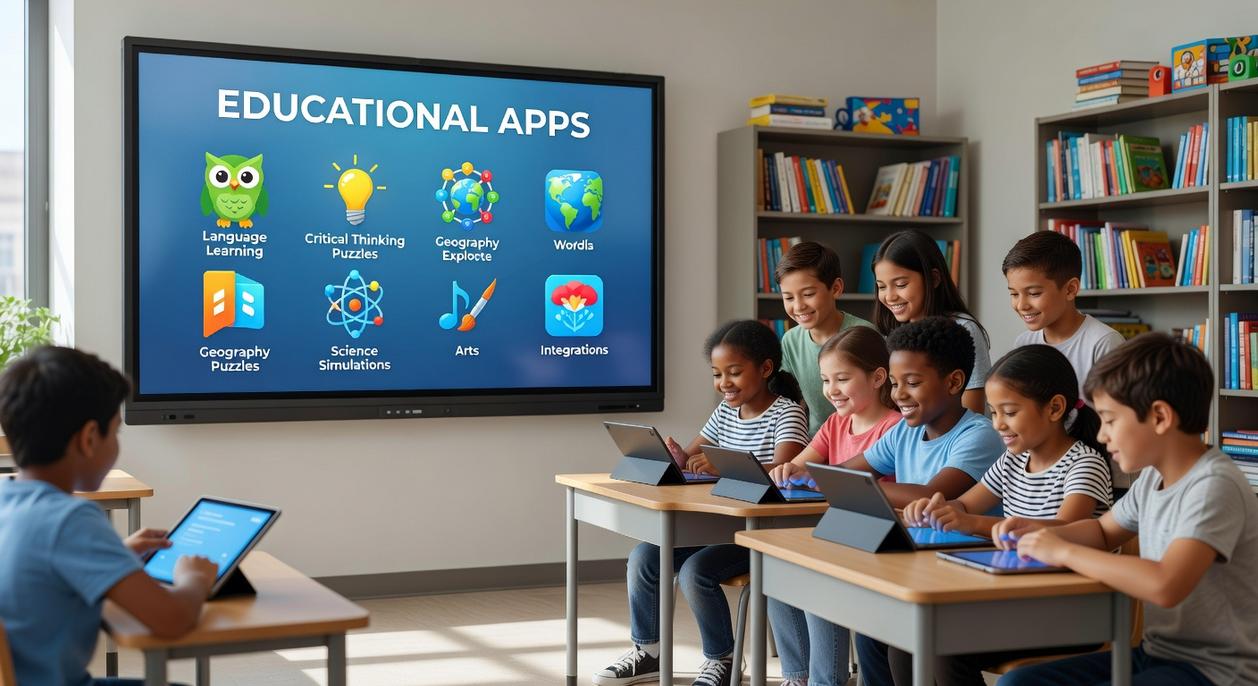
If you’ve ever tried teaching a four-year-old their letters after a long day, you know the struggle. One minute they’re excited about “A,” the next they’re upside down pretending to be a dinosaur. Preparing for school can feel like a daily tug-of-war between curiosity and chaos.
At this stage, the developmental focus shifts to pre-literacy (early reading skills like letter recognition and phonics) and numeracy (understanding numbers, counting, and simple math concepts). According to the National Association for the Education of Young Children, playful, interactive learning builds stronger foundations than rote memorization (NAEYC, 2020). In other words, worksheets alone won’t cut it.
So what should you look for? Phonics-based games that connect sounds to letters. Number tracing activities that strengthen fine motor skills. Pattern recognition challenges that build logical thinking. Open-ended creativity tools—like digital drawing or virtual building blocks—also matter (yes, creativity counts as “real” learning).
Interactive storytelling apps that highlight words as they’re read can reinforce word recognition, while simple logic puzzles boost problem-solving. The trick is choosing age appropriate learning apps that feel like play, not pressure.
That said, screens can spark another battle: turning them off. Introduce a clear “digital activity” time limit and give transition warnings. Predictability reduces meltdowns (mostly). Pro tip: set a visual timer so the app isn’t the villain—you’re just following the clock.
Building Core Skills: Smart Apps for Early Elementary Students (Ages 6–9)
I remember sitting at the kitchen table while my second grader struggled with subtraction. Tears. Dramatic sighs. The whole performance (very Oscar-worthy). But when we switched to a math game that wrapped problems inside a pirate treasure hunt, everything changed. Same math. Different delivery.
At ages 6–9, kids are strengthening reading comprehension, math fluency (quick, accurate recall of addition and subtraction), and early critical thinking skills. Math fluency means solving basic problems smoothly without counting on fingers every time. These foundations matter—students who build strong early math skills are more likely to succeed later academically (National Mathematics Advisory Panel, 2008).
The best age appropriate learning apps support classroom goals while making practice feel playful. Look for:
- Gamified learning paths that reward progress
- Adaptive levels that adjust difficulty automatically
- Clear explanations of the “why” behind answers
Some critics argue apps distract more than they teach. That can be true—if the app is all flash and no substance. Quality matters. Choose math stories that frame word problems in adventures, reading apps that ask thoughtful comprehension questions, beginner coding platforms that teach logic (step-by-step problem solving), and interactive science explorers.
Pro tip: Check whether educators helped design the app. Research-backed tools tend to deliver deeper, longer-lasting learning outcomes (EdSurge, 2023).
Making smart screen time a family habit starts with one simple shift: match the app to your child’s stage. An app built for teens vs. one designed for preschoolers creates very different outcomes. One sparks curiosity; the other causes frustration.
Use a quick checklist:
- Active engagement vs. passive scrolling
- Clear learning goals vs. random rewards
- No distractions vs. constant pop-ups
When you compare age appropriate learning apps side-by-side, the right choice becomes obvious. Pro tip: test one current app tonight against these standards. Small tweaks now create confident, capable learners tomorrow. You have the tools to turn worry into growth.
Helping Your Child Thrive With the Right Learning Tools
You came here looking for guidance on choosing learning tools that truly support your child’s growth—and now you have a clearer understanding of what works, what to avoid, and how to match resources to your child’s developmental stage.
As a parent, it’s overwhelming to sort through endless options, especially when you’re worried about screen time, quality, and whether your child is actually learning. The wrong tools waste time. The right ones build confidence, spark curiosity, and strengthen essential skills.
That’s why choosing age appropriate learning apps and activities tailored to your child’s needs makes all the difference. When learning aligns with their developmental stage, progress feels natural—and even fun.
Don’t let confusion or second-guessing hold your child back. Start exploring trusted, research-backed resources today and give your child the structured, engaging support they deserve. The right tools can transform frustration into growth—take the next step now and set your child up for success.
 There is a specific skill involved in explaining something clearly — one that is completely separate from actually knowing the subject. Lauranete Riverans has both. They has spent years working with healthy parenting practices in a hands-on capacity, and an equal amount of time figuring out how to translate that experience into writing that people with different backgrounds can actually absorb and use.
Lauranete tends to approach complex subjects — Healthy Parenting Practices, Educational Resources for Kids, Expert Advice being good examples — by starting with what the reader already knows, then building outward from there rather than dropping them in the deep end. It sounds like a small thing. In practice it makes a significant difference in whether someone finishes the article or abandons it halfway through. They is also good at knowing when to stop — a surprisingly underrated skill. Some writers bury useful information under so many caveats and qualifications that the point disappears. Lauranete knows where the point is and gets there without too many detours.
The practical effect of all this is that people who read Lauranete's work tend to come away actually capable of doing something with it. Not just vaguely informed — actually capable. For a writer working in healthy parenting practices, that is probably the best possible outcome, and it's the standard Lauranete holds they's own work to.
There is a specific skill involved in explaining something clearly — one that is completely separate from actually knowing the subject. Lauranete Riverans has both. They has spent years working with healthy parenting practices in a hands-on capacity, and an equal amount of time figuring out how to translate that experience into writing that people with different backgrounds can actually absorb and use.
Lauranete tends to approach complex subjects — Healthy Parenting Practices, Educational Resources for Kids, Expert Advice being good examples — by starting with what the reader already knows, then building outward from there rather than dropping them in the deep end. It sounds like a small thing. In practice it makes a significant difference in whether someone finishes the article or abandons it halfway through. They is also good at knowing when to stop — a surprisingly underrated skill. Some writers bury useful information under so many caveats and qualifications that the point disappears. Lauranete knows where the point is and gets there without too many detours.
The practical effect of all this is that people who read Lauranete's work tend to come away actually capable of doing something with it. Not just vaguely informed — actually capable. For a writer working in healthy parenting practices, that is probably the best possible outcome, and it's the standard Lauranete holds they's own work to.